Spotted some stunning 4K photos on Instagram and want to save them as wallpapers? Since Instagram doesn’t allow direct downloads, taking screenshots often feels like the only option—a real hassle.
Don’t worry! After hands-on testing, we’ve rounded up 11 reliable Instagram image downloaders for 2026, including online tools, browser extensions, and mobile apps. These tools make it easy to download images in HD and even 4K, so you can save your favorite Instagram photos effortlessly.
🔥 You May Also Like: Step-by-Step Guide: How to Download Image from Instagram
Reading Guide
- Top Picks: Best Instagram Photo Generator
- Comparison Table of 11 Instagram Image Downloaders for Quick Reference
- Top 5 Free Instagram Photo Downloaders Online [100% Free and 4K Supported]
- 2 Working Instagram Photo Downloader Browser Extensions [Verified]
- 4 Free Instagram Image Downloader Apps on Android or iPhone
Top Picks: Best Instagram Photo Generator
Want the same high-quality, eye-catching visuals as your favorite influencers in just one click but struggling to find inspiration? AVCLabs PhotoPro AI is a powerful AI Instagram Image Generator that can help.
Just enter keywords (like “Japanese film-style travel photos” or “Instagram-worthy minimalist food shots”) and it will generate stunning HD images. You can also use it to enhance old photos, restore low-quality images, or remove unwanted objects and distracting backgrounds. Try it now!
Comparison Table of 11 Instagram Image Downloaders for Quick Reference
| Tool Name | Tool Type | Pricing | Supported Image Quality | Output Formats | Key Features |
|---|---|---|---|---|---|
| Snapinsta | Online | Free | Full HD, 2K, 4K (selectable) | JPG | Highly stable, supports content visible from private accounts, watermark-free |
| Toolzu | Online | Free (advanced batch features require payment) | Original quality preserved | JPG | Includes image resizing and format conversion, ideal for creators |
| FastDl | Online | Free | Automatically extracts highest resolution (up to 4K) | JPG | Ultra-fast 1-second parsing, supports batch import of 10 links, post data preview |
| IGram | Online | Completely free | Upto 4K (selectable) | JPG, GIF, MP4, etc. | Multi-format support for images, videos, and Stories with strong privacy protection |
| SaveFrom.net | Online | Free | Original quality (up to 4K) | JPG | Cross-platform compatibility, supports Facebook, Twitter, and more |
| Turbo Downloader for Instagram | Browser Extension | Free | Original resolution (HD to 4K) | JPG, PNG | Scenario-based downloading, bulk account archiving, keyboard shortcuts |
| Exta: Pro Downloader for Instagram | Browser Extension | Free | HD, 4K (original resolution) | JPEG, ZIP (batch) | Local parsing for better security, supports private accounts, ZIP batch downloads |
| InDown | Mobile App | Free | SD to 4K (selectable) | JPG, JPEG | Online + app dual mode, supports 10-link batch import, multi-language support |
| DownloadGram | Mobile App | Free | Original resolution (up to 4K) | JPG | Lightweight (3MB), share-to-download workflow, no link copying needed |
| InstaSave | Mobile App | Free (ads removable via paid upgrade) | HD, 4K (original resolution) | JPG, PNG | Share-based downloading, iCloud sync, optimized for iPhone Dynamic Island |
| iGram Pro | Mobile App | Core features free (higher batch limits require payment) | SD to 4K (selectable) | JPG, JPEG | Supports batch downloading of up to 20 links, built-in image editor, auto categorization |
Part 1: Top 5 Free Instagram Photo Downloaders Online [100% Free and 4K Supported]
Online Instagram photo downloaders are the most popular, thanks to their convenience—no installation required. Here are five reliable, fully free tools with proven performance for you to choose from.
1. Snapinsta
- Website link: https://snapinsta.to/en2
- Price: Completely free
- Supported devices/systems: All platforms (PC, Mac, iPhone, Android)
- Image quality: Full HD, 2K, 4K (original resolution prioritized, manually selectable)
- Output format: JPG
Snapinsta is a highly popular and completely free Instagram downloader with comprehensive functionality. It supports not only downloading post images, but also downloading Reels videos, Stories, and other visual content from Instagram accounts. Its biggest strength lies in high-quality, watermark-free downloads. The tool prioritizes fetching the original resolution of images and allows users to select preferred quality and size. It even supports downloading Instagram private photos.

The interface is clean and minimal, featuring only a link input box and a download button—making it beginner-friendly with no learning curve. The workflow is simple: paste the link, wait 1–2 seconds for analysis, and preview all available images or videos from the link or account. This preview feature helps users accurately select content and avoid downloading the wrong files.
One limitation is that Snapinsta focuses on single-item downloads and does not support batch downloading, making it best suited for saving individual images or videos. That said, its stability is excellent. Even when Instagram updates its policies, Snapinsta adapts quickly to ensure continued availability. Currently, it supports JPG output only.
💡 You May Also Like: How to Hide Followers on Instagram in 2026?
2. Toolzu
- Website link: https://toolzu.com/downloader/instagram/photo/
- Price: Free (paid options for advanced features)
- Supported devices/systems: All platforms (PC, Mac, iPhone, Android)
- Image quality: Original quality preserved
- Output format: JPG
Toolzu stands out for its feature aggregation approach. Beyond basic Instagram photo downloads, it also includes practical tools such as image resizing and format conversion, making it ideal for content creators and e-commerce operators who need quick asset processing.
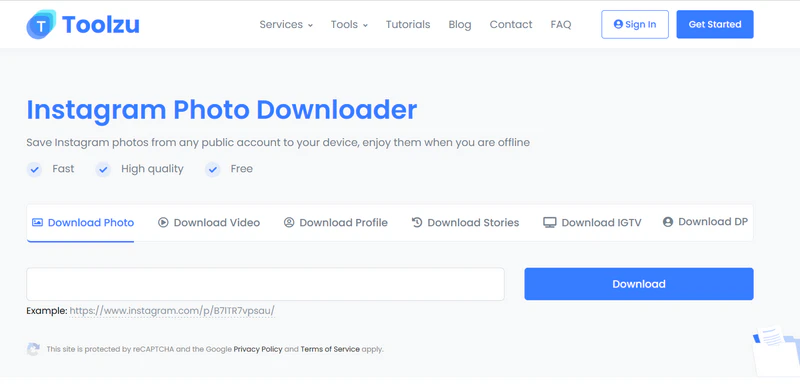
Its download performance is equally strong, supporting single-post images, Story content, Reel cover images, and multi-image previews from the same account. Parsing speed is consistently under 2 seconds, and the tool accurately detects and preserves ultra-HD assets, including 4K images.
If you want to download Instagram photos via Toolzu, just paste the Instagram link, click “Parse,” preview the content, and hit “Download.” While format selection isn’t currently available (JPG only), the free version fully covers essential needs, allowing unlimited single-image downloads. Advanced features—such as batch downloading an entire account—require payment. All downloaded files are watermark-free.
3. FastDl
- Website link: https://fastdl.app/photo
- Price: Completely free (no ads, no hidden fees)
- Supported devices/systems: All platforms (PC, mobile, tablet browsers)
- Image quality: Automatically downloads the highest resolution
- Output format: JPG
FastDl is designed for speed. With optimized server architecture, it can parse Instagram links in under one second, even on average network connections—making it perfect for efficiency-focused users. After parsing, FastDl not only displays image and video previews but also shows key post details such as captions, likes, comments, and publish time, giving users valuable context.

In addition to single-post downloads, FastDl supports batch input of up to 10 post links, generating a unified download list for easy saving. It supports all major Instagram content types, including Videos, Reels, Stories, IGTV, and Carousels. Image quality is automatically set to the highest available resolution, with full support for 4K and lower resolutions. All downloads are watermark-free.
No registration is required—just paste the link, click “Quick Parse,” preview the content, and download. There are no limits on download frequency. For batches exceeding 10 links, a brief 5-second interval is required. The site supports 25 languages, making it accessible to users worldwide. Output format is JPG only.
4. IGram
- Website link: https://igram.world/photo
- Price: Completely free
- Supported devices/systems: All platforms (PC, Mac, iPhone, Android, etc.)
- Image quality: Up to 4K (selectable)
- Output formats: JPG, GIF, MP4, and more
IGram is a powerful Instagram downloader that supports not only image downloads but extracting Reels videos, IGTV content, and Stories. It offers comprehensive coverage for all major Instagram content types.
Its standout advantage lies in flexible quality selection and multi-format support. For images, users can choose resolutions ranging from SD up to full 4K, while supported formats include JPG and GIF. Video downloads are available in formats such as MP4 and MOV, making the tool adaptable to different usage scenarios and workflows.
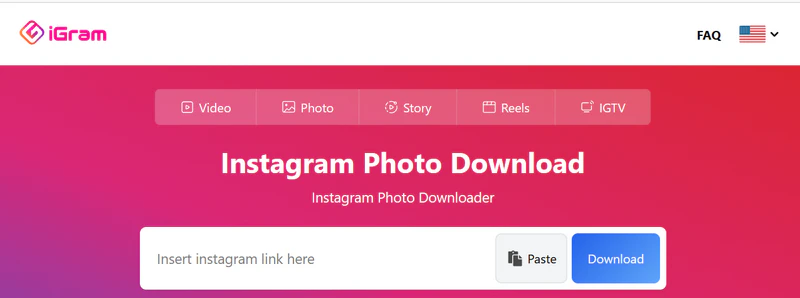
The platform is highly compatible, working across Windows, macOS, iOS, Linux, and all major browsers including Chrome, Firefox, and Safari. In real-world testing, it remains smooth and responsive even on mobile devices with smaller screens. The workflow is simple: paste the link and wait 3–5 seconds for parsing. The page clearly displays available quality and format options, and the preview feature helps prevent incorrect downloads.
Privacy is also a key focus. IGram only allows downloads from public Instagram accounts and does not collect user data, download history, or personal information.
💡 You May Also Like: 10 Best Instagram Highlight Viewer in 2026
5. SaveFrom.net
- Website link: https://en1.savefrom.net/11Qc/download-from-instagram
- Price: Completely free
- Supported devices/systems: All platforms (PC, Mac, iPhone, Android, etc.)
- Image quality: Original quality preserved
- Output formats: JPG
SaveFrom.net is a well-known, multi-platform media downloader with a long-standing reputation for stability. Its Instagram image downloading feature has been refined over time and performs reliably. Compared with single-purpose tools, its key strength is broad platform support—in addition to Instagram, it also supports downloading content from Facebook, Twitter, and dozens of other platforms, making it ideal for creators who work with multiple social media sources.
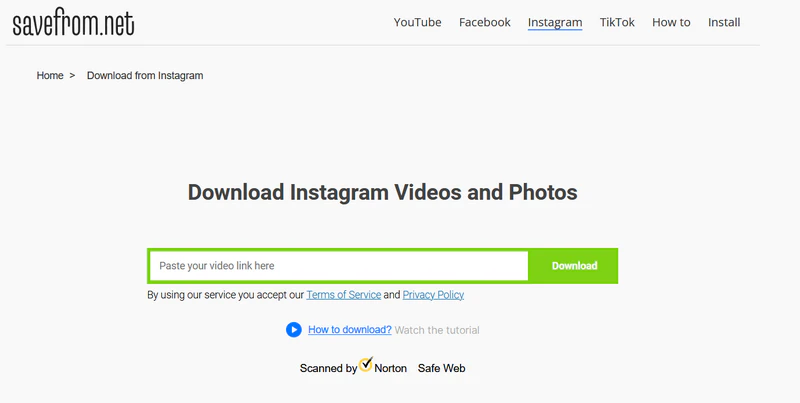
For Instagram images, SaveFrom.net supports single-post downloads as well as batch extraction from carousel posts. After parsing, users can choose different quality versions based on the original source, with full support for resolutions up to 4K. No software installation is required—simply paste the link and click “Download.” The service is completely free, with no download limits, and prioritizes user privacy by not storing personal data or download history.

Most AI image generators on the market today have restrictions. Here we’ve tested and selected 5 unrestricted AI image generators that are free and actually working in 2026 to let you create images with fewer rules or filters. Learn more>>
Part 2: 2 Working Instagram Photo Downloader Browser Extensions [Verified]
If you mainly browse Instagram on a desktop, try using Instagram Photo Downloader browser extensions for a “save as you browse” experience—allowing you to download image from Instagram without leaving the page.
6. Turbo Downloader for Instagram
- Chrome extension installation link: Turbo Downloader for Instagram
- Price: Completely free
- Supported devices/systems: PC (Chrome and other major browsers)
- Image quality: Original resolution (HD to 4K)
- Output formats: JPG, PNG
Turbo Downloader for Instagram is a highly popular and reliable Instagram image downloader browser extension with over 400,000 users. It focuses on convenient batch downloading and is compatible with Chrome and other major browsers. Its biggest strength is its scenario-based download design, offering different download options depending on how you browse Instagram. It supports extracting content from single posts, carousel posts, Stories, and entire accounts.
The user experience is especially intuitive. When browsing Instagram, hovering over a post thumbnail automatically reveals a download button—click once to download image from instagram. On a single-post page, the extension adds a dedicated download icon next to the bookmarks bar. For carousel posts, one click downloads all images at once, eliminating the need to save them individually.
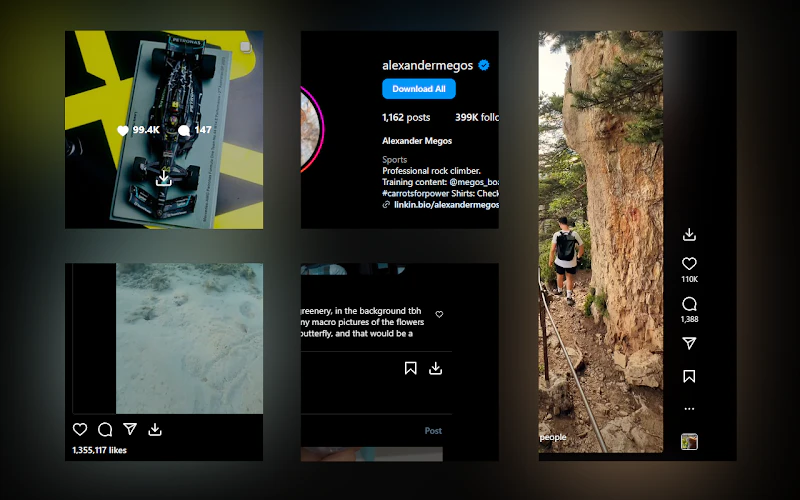
For Stories, a download button appears in the top-right corner, solving the common issue of ephemeral content being hard to save. Even more useful is the “Download All” button added to Instagram profile pages, which allows users to batch-download every Instagram post from an account. Files are automatically organized by account name, and duplicate files are intelligently skipped—perfect for large-scale content collection.
As a free Instagram downloader tool, all core features are available without payment. Downloaded images retain their original resolution, including HD and 4K, with no watermarks. Some users report occasional loading delays, which can usually be resolved by refreshing the Instagram page.
7. Exta: Pro Downloader for Instagram
- Chrome extension installation link: Exta: Pro downloader for Instagram
- Free: No ads or hidden fees
- Supported devices/systems: PC (Chrome browser)
- Quality: HD, 4K (original resolution)
- Format: JPEG, ZIP (for batch downloads)
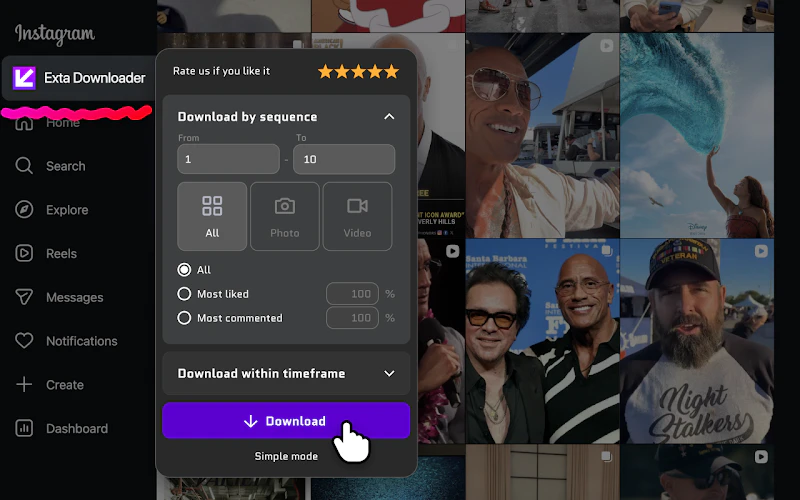
Exta: Pro Downloader for Instagram is a highly rated Instagram downloader Chrome extension (4.3/5) officially listed in the Chrome Web Store. It supports one-click download + batch extraction. Its capabilities go far beyond basic extensions, supporting downloads of regular post images, carousel posts, Reels videos, Stories, IGTV content, and even content from private accounts you follow.
No registration or login is required, all parsing happens locally in the browser, and it does not collect user account info or download history. The process is ad-free and unobtrusive. The batch download feature is particularly practical, allowing multiple posts, entire Stories, or an entire account’s content to be saved in a single ZIP file, eliminating repetitive actions. Single content downloads are saved directly as JPEG files, retaining the original resolution, with HD and 4K content extracted completely without watermarks.
After installation, a dedicated “Download” button appears in the Instagram navigation bar. In addition, hovering over a post thumbnail reveals a purple download icon. Click either to choose between single or batch downloads, with parsing and saving completed in just 1–2 seconds. For ephemeral Stories, the extension also supports real-time extraction, making it easy to save quickly disappearing content.
Part 3: 4 Free Instagram Image Downloader Apps on Android or iPhone
Mobile apps are the top choice for users who frequently download images from Instagram. Here are 4 Instagram Phone Downloader apps for Android and iPhone users.
8. InDown: A Versatile Online + App Solution
- Price: Completely free (no ads, no paid features)
- Supported devices/systems: Android (Android 10 and above)
- Image quality: SD to 4K (selectable)
- Output formats: JPG, JPEG
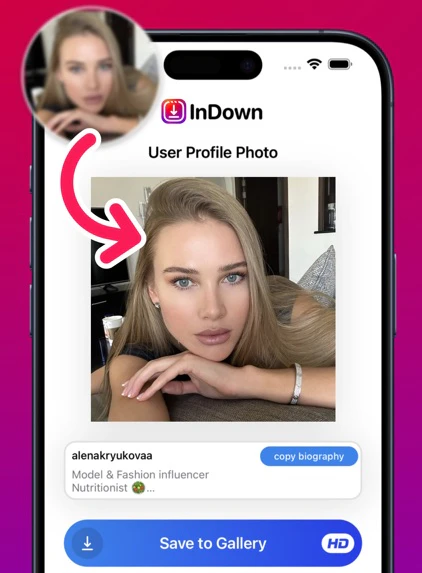
InDown stands out for its multi-scenario flexibility, offering both a browser-based online version (indown.ai) and a dedicated Android app. This dual approach effectively meets Android users’ needs for both occasional downloads and frequent usage.
InDown Instagram image downloader supports downloading single images, carousel posts, Stories, IGTV covers, and visible content from private accounts (with authorization). During parsing, users can choose from three quality levels—SD, HD, and 4K, making it easy to balance image quality and storage space.
A standout feature is batch link importing, allowing users to paste up to 10 Instagram links at once and download them as a queue—especially useful for e-commerce professionals collecting competitor materials. The app supports 12 major languages, including English, Spanish, and Japanese, with an interface designed for intuitive mobile use.
9. DownloadGram [For Android]
- Price: Completely free (no ads)
- Supported devices/systems: Android (Android 8.0 and above)
- Image quality: Original resolution (up to 4K)
- Output format: JPG
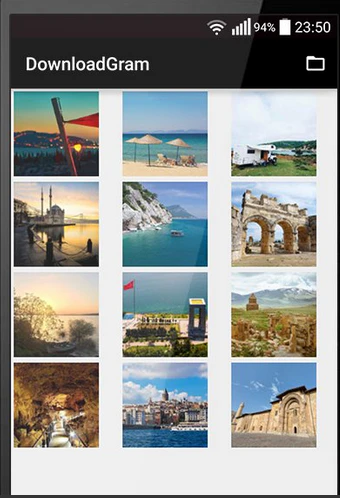
DownloadGram is a well-known Instagram-focused image downloader for Android. The installation package is only 3MB, consumes minimal storage, and runs efficiently in the background without excessive battery usage.
The app focuses specifically on image downloading, with parsing speeds optimized to under 1 second, enabling fast, smooth extraction of high-quality images without lag or waiting.
The workflow is straightforward: in Instagram, share the target post and select “Share to DownloadGram.” The app automatically launches and completes the download—no manual link copying required. It supports both single-image and carousel batch downloads, and automatically creates an “Instagram Media” album for easy access.
The free version has no functional limitations. Users are only prompted to leave a rating after first installation, with no intrusive ads or pop-ups.
10. InstaSave [For iPhone]
InstaSave is a classic Instagram photo downloader for iPhone with over 5 million downloads on the App Store. Its core advantage is share-based downloading. Simply open a post in Instagram, tap “Share”, and select InstaSave—the app automatically launches, parses, and saves the content. No manual link copying is required, and the entire process takes around 10 seconds.
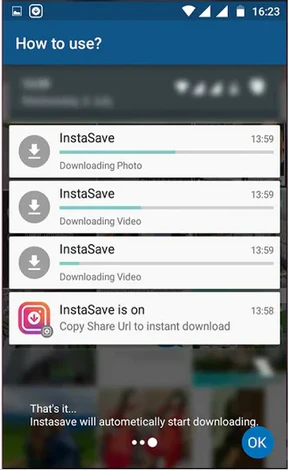
InstaSave supports downloads from standard posts, carousel images, Stories, and Reels cover images, while automatically preserving the original resolution, including 4K quality, with no watermarks. The free version has no download limits and only displays a 5-second skippable ad at launch, which can be removed via a paid upgrade.
A newly added iCloud Sync feature allows downloaded images to be automatically synced across all Apple devices, making cross-device access seamless. The app is also specially optimized for the iPhone 15 series, with download progress displayed in the Dynamic Island, delivering a more native iOS experience.
- Price: Free (ads removable via paid upgrade)
- Supported devices/systems: iPhone (iOS 15 and above)
- Image quality: HD, 4K (original resolution)
- Output formats: JPG, PNG
11. iGram Pro [For iPhone]
- Price: Core features free (higher batch limits available via paid upgrade)
- Supported devices/systems: iPhone (iOS 14 and above)
- Image quality: SD to 4K (selectable)
- Output formats: JPG, JPEG
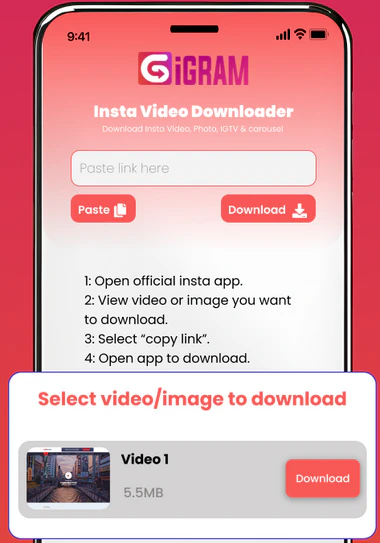
Focuses on batch downloading and media management, iGram Pro is the best Instagram image Downloader for iPhone content creators and social media professionals. The app is App Store–certified, processes all parsing locally on the device, and does not collect Instagram account data or download history.
The v2.1.0 update (September 2025) introduced batch link importing, allowing users to paste up to 20 Instagram post links at once and generate a download queue for automatic batch saving—significantly improving content collection efficiency.
Feature support is extensive, covering single images, carousel posts, Stories, and IGTV covers. During parsing, users can choose between three quality levels—SD, HD, and 4K, depending on storage needs. A unique media categorization system automatically organizes downloads by tags such as landscape, products, or people. Combined with the built-in image editor, users can crop images or apply filters immediately after downloading—without switching to another app.
The workflow is simple: copy an Instagram link, open iGram Pro, and a pop-up prompt appears for parsing. Confirm to complete the download. The free version supports single downloads and batch downloads of up to 10 links, with no ads. Unlocking the 20-link batch limit requires payment, but the core single-download functionality remains completely free and sufficient for most users.
Conclusion
The 11 free Instagram image downloaders listed above cover three main types: online web tools, browser extensions, and mobile apps. Whether you need a one-off download, large-scale content collection, or HD image saving, these tools can accommodate a wide range of needs—from casual users saving wallpapers to content creators stockpiling image assets.
Please note: downloaded Instagram photos should be used for personal learning and enjoyment only. Avoid commercial use and always respect the intellectual property rights of the original creators.